 Add to Chrome
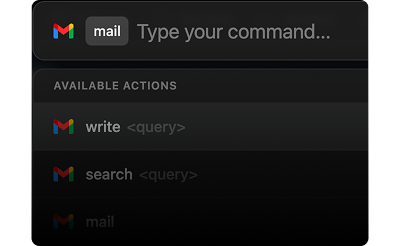
Docs, Gmail, Meet, Keep, Sheets, Slides — open or create with a query (doc, mail.write, sheets.new).
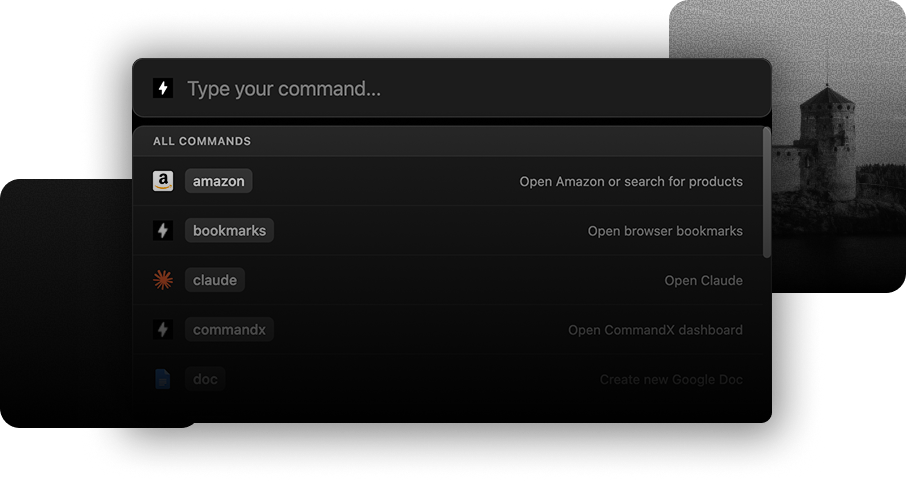
Search, open apps, convert units, check timezones, and run macros — without leaving the page you're on.

Press "" twice to invoke command center

Docs, Gmail, Meet, Keep, Sheets, Slides — open or create with a query (doc, mail.write, sheets.new).
ChatGPT, Claude, Gemini — open app or “ask” with a query (gpt.ask, claude.ask).
Amazon, Flipkart, eBay, Etsy — open or search (amazon.search, flipkart).
Notion (open/new), quick note, add task.
History, bookmarks, extensions, “go” to recent sites, help, settings.
One keyword, one shortcut
"" twice anywhere or "x" in the bar; no digging through menus.
Works everywhere
— Command palette on any tab, plus new tab and omnibox; same experience.
No account, no cloud, full privacy
— Everything runs in the browser; recent macros and geo information stored within in chrome local storage.
40+ macros out of the box
— Google, AI, shopping, Notion, browser; no setup.
Inline answers
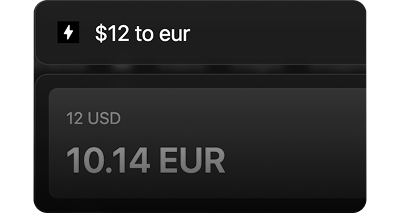
— Calculator, currency, timezone, units, dictionary right inside command center.
Your workspace, one search
— Recent Docs, Sheets, Slides, Notion from history, no extra sync.